
- 0
- 4,385 words
This post contains affiliate links.
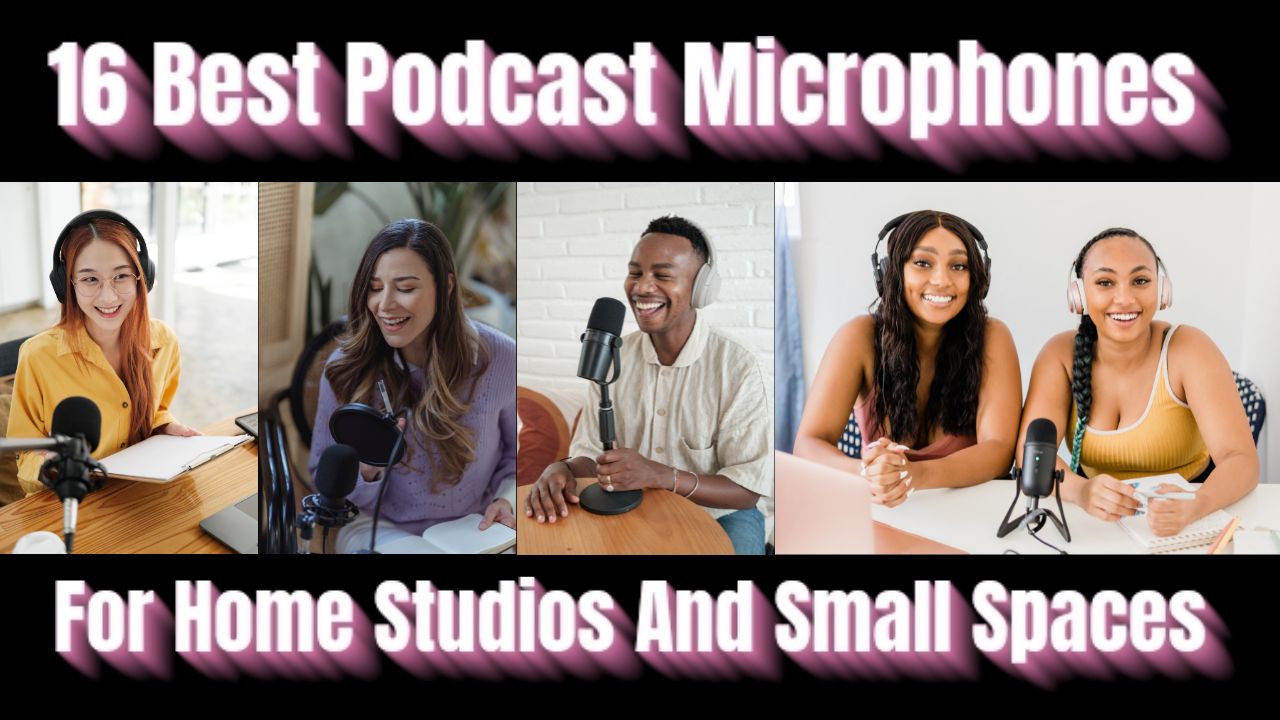
On The Bloggers Blog, discover the best podcast microphones across 16 USB and XLR models designed to deliver clear, broadcast-quality vocals while rejecting background noise in untreated bedrooms and small home spaces.
A small room can make a podcast sound boxy, echoey, or full of street noise. You may record beside a desk, in a bedroom, or near a shared living area, so a large studio microphone setup may not fit your space or budget. The right mic can help your voice sound clear and close without forcing you to cover every wall with foam.
I created this guide to help you find the best podcast microphones for home studios and small spaces. It is for new hosts, solo creators, remote guests, and anyone who wants a clean home podcast setup without a rack of gear. You will see how USB and XLR microphones differ, which models reject room noise, and which options work well when you cannot fully treat the room.
The 16 picks cover low-cost first mics, compact desk models, broadcast-style dynamics, and detailed condenser mics for quieter corners. You will also learn where each mic fits, what it may reveal about your room, and what to pair with it. A good microphone cannot erase every reflection or barking dog, but smart mic placement, a close speaking distance, and basic noise control can make a small room sound far better.


16 Best Podcast Microphones for Home Studios and Small Spaces (Record Like You Have a Pro Booth!)

1. Shure MV7+: The Easy Upgrade for a Busy Home Studio

You want polished voice recordings without filling your desk with studio gear. The Shure MV7+ helps you get there with a focused dynamic capsule that keeps traffic, fans, and nearby conversations quieter. Its close-range design adds body to speech while limiting harsh room reflections. USB-C makes it simple today, while XLR keeps your future setup open.
Start with the grille two to four inches from your mouth and speak slightly across the front. Use the included windscreen or a pop filter when P and B sounds become sharp. A folding boom arm, curtain, and bookshelf can make a narrow room feel calmer without permanent changes.
Make the most of this microphone:
– Connect by USB-C for quick laptop recording and monitoring
– Add an XLR interface later for multiple microphones
– Position the mic close to reduce empty-room reflections
– Keep cables along the desk edge for extra speaking space
The MV7+ suits solo shows, interviews, video podcasts, and busy shared rooms. It gives you clear speech now while leaving room for a more advanced recording chain later.
Shure MV7+: The Easy Upgrade for a Busy Home St…
Editor’s Choice

2. RØDE PodMic USB: Rich Broadcast Tone Without a Complicated Rack

The RØDE PodMic USB gives spoken voices a warm, weighty sound without demanding a full rack of equipment. Its dynamic capsule helps reduce room noise in bedrooms, offices, and dining-room corners. That focused pickup is useful when refrigerators hum, windows face busy streets, or family members move nearby. The sturdy body also feels ready for regular podcast work.
Use USB for direct computer recording, then switch to XLR when you add an interface or mixer. The headphone output saves desk space, and digital controls help you shape gain and tone. Keep processing gentle while learning, and save a clean recording when possible.
Build a cleaner PodMic setup:
– Mount the microphone on a sturdy arm, not a weak stand
– Keep your mouth three inches from the front grille
– Angle the capsule slightly to soften explosive consonants
– Add curtains, rugs, or bookshelves to reduce sharp reflections
The PodMic USB works well for conversational shows and fuller voices. Close placement delivers the strongest result, while simple room changes keep the broadcast tone clear and natural.
RØDE PodMic USB: Rich Broadcast Tone Without a…
Editor’s Choice


PodMic USB Versatile Dynamic Broadcast Microphone with XLR and USB Conne…
 AmazonUSD 170.92
Audio-Technica 2100x-USB Streaming/podcasting Microphone Black
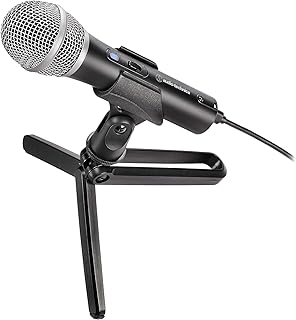
AmazonUSD 89.403. Audio-Technica ATR2100x-USB: The Budget Mic That Keeps Things Simple

You do not need a large budget or a permanent studio to record clean podcast audio. The Audio-Technica ATR2100x-USB uses a handheld-style dynamic capsule that stays fairly calm in untreated rooms. USB-C connects directly to your computer, while XLR lets you add an interface later. Its clear tone suits interviews, lessons, and voices that already have plenty of warmth.
Keep the microphone close, since its slim body may need more gain than larger broadcast models. A weighted stand works for simple setups, while a boom arm saves space in shared rooms. Place a folded towel under the stand if desk bumps travel into the recording.
Set up this compact microphone with care:
– Hold the mic three inches from your mouth
– Angle it upward when recording from a low desktop
– Use a foam cover to soften strong P and B sounds
– Move it away from laptop vents and loud fans
The ATR2100x-USB offers a low-risk way to begin podcasting. It stays useful as your equipment grows and can disappear beside a laptop when recording ends.
Audio-Technica ATR2100x-USB: The Budget Mic Tha…
Editor’s Choice

Microphone Boom Arm,Aokeo AK-35 Desk Adjustable Compact Mic Suspension B…
AmazonUSD 17.32
zealsound USB Microphone, Podcast Mic for PC, iPhone & Phones, k66 Black
AmazonUSD 38.91
4. Samson Q2U: A Friendly First Mic for Small Rooms

Starting a podcast feels easier when your first microphone does not fight your room. The Samson Q2U uses a forgiving dynamic capsule that handles apartments, dorms, and shared offices better than many sensitive condensers. Its USB and XLR outputs support both simple laptop recording and future interface use. The headphone jack also lets you catch buzzing, clothing noise, or distorted gain before a full take.
Begin three to five inches away and keep your distance steady. Move slightly back if your voice becomes boomy, or move closer before adding excessive gain when it sounds thin. A low-profile arm keeps the microphone out of your way after recording.
Make the Q2U sound cleaner with these moves:
– Point the front grille directly toward your speaking position
– Use a couch, curtain, or quilt behind the microphone
– Keep the stand away from the desk edge
– Secure the USB cable with a simple rear clip
The Q2U is practical for first episodes, school projects, and budget interviews. It gives you reliable speech without a steep learning curve or a crowded workspace.
Samson Q2U: A Friendly First Mic for Small Rooms
Editor’s Choice

Q2U USB and XLR Handheld Dynamic Microphone with Cardioid Polar Pattern …
AmazonUSD 83.15
MV7X Microphone – XLR Only Pro Quality Dynamic Mic for Podcasting & Voca…
AmazonUSD 215.645. Shure MV7: A Proven Dynamic Choice for Voice-First Shows

The original Shure MV7 remains a strong choice when spoken clarity matters more than extra studio features. Its dynamic capsule favors close voices and rejects much of the sound from a hard floor, open window, or nearby air conditioner. USB and XLR connections let you begin with a computer and move toward an interface later. The compact yoke also makes it easy to aim the microphone on a narrow desk.
Place the grille a few inches from your mouth and angle it slightly to limit plosives. A smooth boom arm helps because this microphone weighs more than many entry-level USB models. Lock the touch controls after setting gain so an accidental brush does not change your level mid-interview.
Use the MV7 effectively in small spaces:
– Speak close to keep your voice above room noise
– Aim the rear toward fans, windows, or busy hallways
– Add a pop filter for strong consonant sounds
– Choose a side-mounted arm to preserve desk depth
The MV7 delivers a focused broadcast character at a lower price when newer models appear. It is a dependable fit for coaches, streamers, consultants, and voice-first podcast hosts.
Shure MV7: A Proven Dynamic Choice for Voice-Fi…
Editor’s Choice

PodMic Broadcast-quality Dynamic Microphone with Integrated Swing Mount …
AmazonUSD 95.99Audio-Technica 2100x-USB Streaming/podcasting Microphone Black
AmazonUSD 89.406. RØDE NT-USB Mini: Compact Condenser Sound for a Tidy Desk

The RØDE NT-USB Mini brings open, detailed condenser sound to a desk without taking over the room. Its small body and magnetic stand suit video creators, online teachers, voiceover artists, and solo hosts. The sound can feel crisp and intimate, with more vocal detail than many dynamic microphones. That sensitivity also means your curtains, rugs, and nearby furniture matter.
Place it six to eight inches from your mouth and keep the front aimed toward you. Add a pop filter when you speak close, and avoid setting it beside a laptop fan or bare wall. The front headphone jack and volume control keep monitoring simple while the compact stand leaves room for notes.
Keep this condenser under control:
– Record in a corner with curtains or soft furniture
– Place a folded blanket beneath the desktop stand
– Close windows and silence phone alerts before recording
– Use gentle software cleanup for low hums only
The NT-USB Mini fits a tidy home workspace and can move aside after each session. It gives calm rooms a polished, detailed voice without requiring a separate interface.
RØDE NT-USB Mini: Compact Condenser Sound for …
Editor’s Choice

NT-USB Mini Versatile Studio-quality Condenser USB Microphone with Free …
AmazonUSD 97.30
MV7+ USB-C & XLR Podcast Dynamic Mic with Stand – Black
AmazonUSD 378.697. Audio-Technica AT2020USB-X: Clear Detail for Calm, Treated Corners

The Audio-Technica AT2020USB-X is made for creators who want clear, detailed vocals from a direct USB setup. Its condenser capsule gives narration and interviews an open quality that can feel close and natural. USB-C keeps the connection simple, while the headphone output provides direct monitoring without distracting delay. This microphone performs best in a quiet corner with basic treatment.
Start six to eight inches away, slightly above or level with your mouth. Speak across the capsule and add a pop filter if sharp consonants appear. If the top end feels bright, move farther back or turn the mic slightly instead of reaching for heavy equalization.
Prepare the room before pressing record:
– Cover windows with thick curtains to soften reflections
– Place a rug beneath the desk and chair
– Use a filled bookshelf beside or behind you
– Capture ten seconds of room tone for easier editing
The AT2020USB-X rewards careful placement with a polished vocal sound. It suits calm home offices, voice-focused shows, and creators who want condenser detail without buying an interface first.
Audio-Technica AT2020USB-X: Clear Detail for Ca…
Editor’s Choice


MAONO Dynamic Gaming Microphone with Boom Arm: XLR/USB Podcast Microphon…
AmazonUSD 62.638. Elgato Wave:3: A Clean USB Workflow for Solo Creators

The Elgato Wave:3 helps solo creators manage recording, monitoring, and computer audio from one compact desk setup. Its USB condenser capsule gives speech a bright, present character, while the front dial makes level changes quick. A tap-to-mute area is useful during coughs, pauses, and live interviews. The software mixer adds control when your podcast also includes music, calls, or video sound.
Set your normal speaking level before recording and leave room for laughs or excited moments. The built-in protection against clipping can help, but good gain habits still matter. Since this is a condenser, place it near soft furnishings and keep the keyboard slightly to one side.
Build a quieter Wave:3 workstation:
– Mount the microphone from the desk rear corner
– Keep a small pop filter near the capsule
– Add curtains or a blanket to hard nearby walls
– Route the cable behind the monitor and keyboard
The Wave:3 is a smart fit for streamers, solo podcasters, and video creators. Its easy controls keep attention on your voice while the compact design preserves valuable desk space.
Elgato Wave:3: A Clean USB Workflow for Solo Cr…
Editor’s Choice
zealsound USB Microphone, Podcast Mic for PC, iPhone & Phones, k66 Black
AmazonUSD 38.919. HyperX QuadCast 2 S: Flexible Features for Podcasts and Video

The HyperX QuadCast 2 S gives one small studio enough flexibility for podcasts, streams, interviews, and video work. Its condenser capsule captures detailed speech, while several pickup patterns support different speaker arrangements. Use a focused pattern for solo recording or choose a wider option when two people sit near the microphone. The built-in shock isolation and tap-to-mute control add useful comfort during live sessions.
Match the pickup pattern to the room before you begin. Two speakers should sit at similar distances and record a short test first. Wider patterns hear more reflections, so curtains, rugs, and bookshelves become even more useful in a small space.
Get better results from the QuadCast 2 S:
– Face the active side toward your main speaker
– Keep computer fans behind the microphone’s rejection area
– Test equal speaking distances before recording interviews
– Move the body to a boom arm when desks feel crowded
This microphone works well for creators who need one desk to serve several roles. Its features are useful, but thoughtful placement will shape the final sound more than lighting effects or desk decoration.
HyperX QuadCast 2 S: Flexible Features for Podc…
Editor’s Choice


Aokeo Professional Microphone Pop Filter Mask Shield For Blue Yeti and A…
AmazonUSD 13.96
zealsound USB Microphone, Condenser Podcast Mic with Arm & Tripod for PC
AmazonUSD 42.0610. Blue Yeti X: A Handy Multi-Pattern Option for Shared Spaces

The Blue Yeti X gives beginners several recording patterns in one familiar USB microphone. Cardioid mode suits a solo host, while bidirectional mode can support a face-to-face interview. Stereo and omnidirectional settings offer more room for creative projects or small group sessions. That range helps when a guest room, bedroom, or office must serve multiple podcast formats.
The front meter makes level checks easy, and the headphone output supports direct monitoring. Its included stand is stable, though the microphone takes more desk space than a slim model on an arm. A strong boom arm can clear the work surface when the show ends.
Choose the right pattern and position:
– Select cardioid first for most small-room solo episodes
– Keep wider patterns away from bare walls and fans
– Seat interview partners close and equally distant
– Add a shock mount when desk taps reach recordings
The Yeti X is flexible and friendly for new creators. Give it a soft recording zone, and its clear USB sound can cover solo shows, interviews, streams, and more.
Blue Yeti X: A Handy Multi-Pattern Option for S…
Editor’s Choice

Q2U USB/XLR Dynamic Microphone Recording and Podcasting Pack (Black)
AmazonUSD 171.17
Logitech G Blue Yeti USB Microphone for Recording, Streaming, Gaming, Black
AmazonUSD 92.0311. Logitech for Creators Blue Sona: A Dynamic Mic for Noisy Rooms

The Blue Sona is a broadcast-style dynamic microphone for creators who record near moderate background noise. Its side-address design keeps the speaking position clear, and its active circuitry helps produce a healthy signal through an interface. The focused sound gives speech a confident, finished quality without hearing every reflection from a small room. It is a sensible step for anyone moving beyond a basic USB microphone.
You will need an XLR cable, interface, and sturdy boom arm, so plan for the full recording chain. Place the rear toward a window, hallway, or computer fan, and stay close to the front grille. Use onboard boost or filtering carefully, since too much can raise hiss or thin a warm voice.
Set up the Blue Sona for focused speech:
– Mount it on an arm with enough weight support
– Speak across the capsule to reduce harsh plosives
– Keep the interface on a side shelf or rear corner
– Add rugs and curtains to soften remaining reflections
The Blue Sona suits experienced podcasters and regular video creators. Its stronger output and directional pickup can make imperfect rooms easier to manage, provided you budget for the complete XLR setup.
Logitech for Creators Blue Sona: A Dynamic Mic …
Editor’s Choice

Stagg SMC3 3m XLR Male to XLR Female Microphone Cable, Black
AmazonUSD 6.9612. RØDE PodMic: An Affordable XLR Workhorse for a Growing Setup

The original RØDE PodMic gives growing podcasters a practical entry into XLR recording. Its dynamic capsule emphasizes speech with a warm midrange that keeps conversations easy to follow. It also hears less untreated-room sound than many condenser microphones, which helps in bedrooms and compact offices. The design is sturdy, simple, and focused on everyday spoken-word work.
Because it has no direct USB connection, you need an interface with enough clean gain. A side-mounted arm saves desk space, and a separate pop filter can help with forceful P and B sounds. Keep the microphone close before raising gain, since distance brings more room noise into the track.
Build a dependable PodMic chain:
– Check that your interface supplies enough clean gain
– Use an arm rated for the microphone’s heavier body
– Route the XLR cable along the rear desk edge
– Add rugs, curtains, or shelves around the recording position
The PodMic costs more to start than a basic USB model, but its interface and arm remain useful as you expand. It is a practical foundation for two-host shows and long-term home recording.
RØDE PodMic: An Affordable XLR Workhorse for a…
Editor’s Choice
PodMic Broadcast-quality Dynamic Microphone with Integrated Swing Mount …
AmazonUSD 95.99
RØDE PSA1+ Professional Studio Arm with Spring Damping and Cable Manage…
AmazonUSD 111.7713. Shure SM58: The Tough Classic That Works Almost Anywhere

The Shure SM58 is a durable dynamic microphone that works well for podcasts, travel kits, and guest recordings. Its familiar vocal sound keeps speech focused and understandable, even when the room is not perfectly treated. The tough grille and simple design make it comfortable to move between a desk, spare bedroom, and recording bag. It is not flashy, but it is built for regular handling.
The SM58 uses XLR, so you need an interface or mixer, plus a suitable clip or boom arm. Start three to five inches away and speak slightly across the grille. For two-person shows, use one microphone per speaker instead of placing one mic far away from both voices.
Get clear speech from this classic microphone:
– Point the grille toward the speaker’s mouth
– Keep the capsule close before increasing interface gain
– Use a shock mount to reduce desk and hand noise
– Place speakers near curtains, rugs, or full bookshelves
The SM58 earns its place through reliable sound and rugged construction. It can survive frequent use while giving small-room podcasters a familiar, affordable path to clean vocal tracks.
Shure SM58: The Tough Classic That Works Almost…
Editor’s Choice

SM58-LC Cardioid Dynamic Vocal Microphone with Pneumatic Shock Mount, Sp…
AmazonUSD 128.86SM58-LC Cardioid Dynamic Vocal Microphone with Pneumatic Shock Mount, Sp…
AmazonUSD 128.8614. LEWITT LCT 240 PRO: Detailed XLR Sound on a Smaller Budget

The LEWITT LCT 240 PRO brings lively condenser detail to creators who already own an XLR interface. Its compact body fits narrow desks, and its clear sound can add energy to narration, interviews, and teaching shows. Voices may feel more open than they would through a basic dynamic microphone. The tradeoff is greater sensitivity to fans, reflections, and bright rooms.
Use an interface with phantom power, then begin six to ten inches away and slightly off-axis. Record a short test for sibilance, breath sounds, and computer hum before the real session. A pop filter lets you stay close without overloading the capsule with plosives.
Shape the recording space before adjusting software:
– Hang a duvet behind the speaker for temporary treatment
– Cover windows with thick curtains during sessions
– Place a filled bookshelf behind or beside the mic
– Move farther away when vocals sound overly bright
The LCT 240 PRO can sound more expensive than its price when placed well. Spend part of the savings on a stable arm, pop filter, and simple room treatment for the biggest improvement.
LEWITT LCT 240 PRO: Detailed XLR Sound on a Sma…
Editor’s Choice
zealsound USB Microphone, Podcast Mic for PC, iPhone & Phones, k66 Black
AmazonUSD 38.91
15. sE Electronics DynaCaster: A Focused Voice for Imperfect Rooms

The sE Electronics DynaCaster is built for close, present speech in rooms that are less than ideal. Its dynamic design limits some background noise, while onboard controls can help shape the signal before it reaches your software. The sturdy broadcast body feels serious without overwhelming a compact desk. It suits weekly podcasters who want more control than a basic starter microphone provides.
Connect it to an interface and use its boost or filter features with restraint. Too much boost can reveal hiss, while heavy filtering may remove the warmth from your voice. Mount it on a stable arm, keep the rear toward the loudest noise source, and stay at a steady distance.
Use the DynaCaster in a busy room:
– Place the microphone just below or beside your mouth
– Speak across the capsule to soften plosive bursts
– Add a shock mount for keyboard and chair movement
– Use gentle noise reduction for steady low hums
The DynaCaster is a strong match for regular hosts who enjoy an intimate broadcast sound. Choose it when an XLR setup feels worthwhile, not when you need one direct cable to a laptop.
sE Electronics DynaCaster: A Focused Voice for …
Editor’s Choice
zealsound USB Microphone, Podcast Mic for PC, iPhone & Phones, k66 Black
AmazonUSD 38.91
Universal Professional Condenser Microphone Mic Shock Mount Holder Studi…
AmazonUSD 9.19
SE Electronics Dynacaster Dynamic Broadcast Microphone with Built-in Dyn…
AmazonCheck Price16. RØDE NT1 5th Gen: A Premium Finish for a Treated Small Room

The RØDE NT1 5th Gen is a detailed condenser microphone for creators who want a polished home-studio sound. USB and XLR connections give you an easy starting point and a clear path toward an interface or mixer. Its large-diaphragm capsule captures breath, expression, and room tone with impressive detail. That makes it rewarding for narration and careful podcast production, but it also exposes poor room control.
Begin six to ten inches away with a pop filter and a slight off-center angle. Turn off fans, close windows, silence alerts, and keep the microphone away from humming docks. Curtains, rugs, fabric chairs, and uneven bookshelves usually create a more natural space than covering every wall with foam.
Prepare the NT1 5th Gen for clean recordings:
– Record a short test before important interviews
– Monitor through headphones and leave headroom
– Place acoustic panels at nearby reflection points
– Move closer to soft furnishings when the room sounds echoey
The NT1 5th Gen can sound remarkably close to a professional booth when the room receives care. It is a smart choice for polished shows, voiceover, and creators ready to spend time on placement.
RØDE NT1 5th Gen: A Premium Finish for a Treat…
Editor’s Choice

NT1 5th Generation Large-diaphragm Studio Condenser Microphone with XLR …
AmazonUSD 190.65Conclusion: The Best Mic Is the One That Fits Your Room and Routine

The right microphone depends on your voice, your budget, and how much room noise you can control. Dynamic models are often the easiest win for small spaces, while condensers can bring more detail when curtains, rugs, shelves, and basic acoustic treatment are doing their job. Start with a mic you will actually keep close, use consistently, and enjoy hearing in your headphones.
A polished podcast comes from the whole chain: placement, gain, noise control, editing, and a calm recording habit. Choose one of these best podcast microphones for home studios, make a few small changes to your space, and your next episode can sound far more professional without needing a giant booth.
Note: We aim to provide accurate product links, but some may occasionally expire or become unavailable. If this happens, please search directly on Amazon for the product or a suitable alternative.
This post contains Amazon affiliate links, meaning we may earn a small commission if you purchase through our links, at no extra cost to you.


Author

judieannrose@live.co.uk
Related posts
How To Turn A Blog Post Into A Podcast Episode In 3 Simple Steps
- 0
- 392 words
It is for new hosts, solo creators, remote guests, and anyone who wants a clean home podcast setup without a rack of...
Read out all
12 Top-Rated Podcast Microphones You Need To Try (Especially #3!)
- 0
- 3,371 words
It is for new hosts, solo creators, remote guests, and anyone who wants a clean home podcast setup without a rack of...
Read out all
How To Start Your Podcast Journey Like A Pro
- 0
- 2,467 words
It is for new hosts, solo creators, remote guests, and anyone who wants a clean home podcast setup without a rack of...
Read out all


